
How to use AI when choosing a car
Give an AI assistant your criteria and real listings, then check the evidence behind its suggestions.
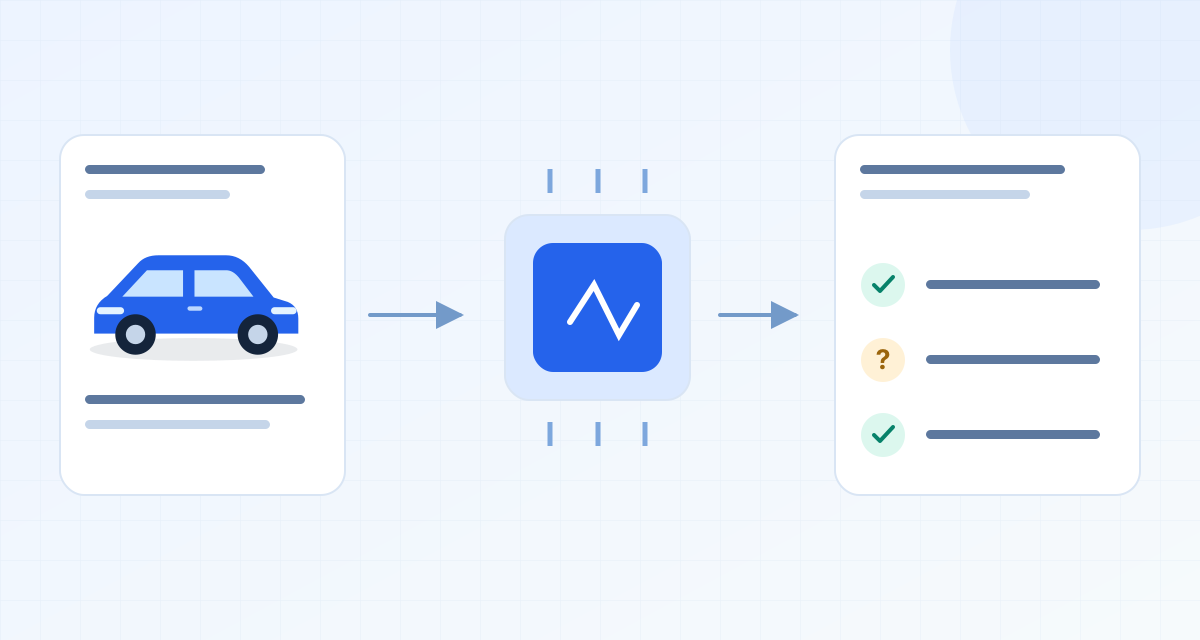
The worked examples are fictional. Use the worksheets with your own listings and quotations; example amounts are not market prices.
On this page
Use AI to Organise Evidence, Not Certify a Car
When using AI as part of your car-buying process, it is crucial to understand its capabilities and limitations. AI can be a powerful tool for organizing and analyzing the information you gather, but it cannot certify the quality or condition of a car. Here are some ways AI can assist you:
-
Extract and Summarize Information: AI can help you sift through large amounts of text from car advertisements, reviews, and specifications. It can extract key details such as mileage, year of manufacture, and features, summarizing them into a more digestible format. This can save you time and help you focus on the most relevant information.
-
Generate Questions: Based on the information extracted, AI can suggest questions you might want to ask the seller. For example, if the car has had multiple owners, you might want to inquire about its maintenance history. AI can help you prepare a list of these questions, ensuring you cover all necessary bases during your discussions with sellers.
-
Limitations: AI cannot physically inspect a car, know the current inventory without up-to-date data, or guarantee the history, valuation, or reliability of a vehicle. It is essential to verify all information independently and consider professional inspections for used cars.
Discovery Prompt
When starting your search for a new or used car, it’s important to know where to look. Here is a discovery prompt you can use with AI to get suggestions on where to search based on your location and requirements:
Prompt: “Suggest where to search for new and used cars given [country], [visits and requirements]; distinguish general starting points from verified current listings; do not invent offers.”
-
General Starting Points: These are platforms where you can begin your search. They provide a broad overview of what’s available in the market but do not guarantee the accuracy or availability of listings. Examples include:
- Mobile.de: A popular platform in Germany for both new and used cars.
- AutoScout24: Available in several European countries, offering a wide range of vehicles.
- Otomoto: A leading site in Poland for car listings.
-
Verified Current Listings: These are specific listings that have been recently updated and verified by the platform or seller. While AI can guide you to these platforms, it cannot verify the listings itself. Always check the date of the listing and contact the seller directly for the most current information.
Set Brief and Input Boundaries
When using AI to assist in your car-buying journey, setting clear boundaries for the information you input is crucial. This ensures that the AI can provide the most relevant and accurate assistance:
-
Source URL and Date: Always include the URL of the source and the date you accessed it. This helps the AI contextualize the information and ensures you are working with the most current data available.
-
Relevant Ad Text: Provide the AI with the specific text from the car advertisement that you want to analyze. This could include details about the car’s condition, features, and seller claims. The more precise your input, the more useful the AI’s output will be.
-
Currency Units: Specify the currency units used in the advertisement. This is particularly important when comparing prices across different countries or platforms.
-
No Identity Documents or Private Contact Data: Do not input sensitive information such as identity documents or private contact data. AI tools are not designed to handle or secure this type of information.
-
No Assumption of URL Access: Do not assume that AI chat can open or access URLs. Provide all necessary information within the text input to ensure the AI can assist you effectively.
-
Generic Prompts: Use generic prompts that can be applied in any text assistant. These prompts should be clear and concise, focusing on the specific task you want the AI to perform. While some prompts may resemble buttons in tools like Garageview, not all are directly applicable.
By understanding these aspects, you can effectively leverage AI to enhance your car-buying experience, ensuring you make informed decisions based on organized and well-analyzed data.
Fictional Three Ad Exercise
When using an AI car-buying assistant, it’s crucial to carefully analyze the information provided in car advertisements. Let’s examine three fictional car ads to understand how to evaluate them against specific buyer criteria. The buyer in this scenario is looking for an automatic car with a rear camera and a cash price under 26,000 EUR.
Ad A: “Used automatic, 24,000 EUR, rear parking sensors”
- Automatic Claimed: The ad explicitly states that the car is automatic, which aligns with the buyer’s requirement.
- Camera Unknown: The ad mentions “rear parking sensors,” but it does not specify whether the car has a rear camera. This is a point that needs clarification from the seller.
- Cash Price Claimed: The car is listed at 24,000 EUR, which is within the buyer’s budget of under 26,000 EUR.
Ad B: “New order, 250 EUR/month, automatic, camera optional”
- Automatic Claimed: The ad claims the car is automatic, meeting the buyer’s requirement.
- Camera Inclusion Unknown: The ad calls the camera optional. Ask whether it is included in this particular quoted configuration and request the corresponding price. Do not turn an optional-feature description into a confirmed absence or inclusion.
- Full Price Unknown: The ad provides a monthly payment of 250 EUR but does not specify the full cash price. The buyer should request a cash quote to determine if it fits within their budget.
Ad C: “Used automatic, 26,500 EUR, rear camera”
- Automatic Claimed: The ad confirms the car is automatic, which is suitable for the buyer.
- Camera Claimed: The ad specifies that the car has a rear camera, fulfilling this requirement.
- Price Above Ceiling: The car is priced at 26,500 EUR, which exceeds the buyer’s budget of 26,000 EUR. This makes it unsuitable unless the buyer is willing to negotiate or adjust their budget.
| Ad | Automatic Claimed | Camera | Cash Price |
|---|---|---|---|
| A | Yes | Unknown | 24,000 EUR |
| B | Yes | Unknown | Unknown |
| C | Yes | Yes | 26,500 EUR |
In summary, none of the ads fully meet the buyer’s criteria without further inquiry or negotiation. Ad A requires clarification on the camera, Ad B needs a configuration and cash quote, and Ad C is above the price ceiling.
Tempting Mistake
When using AI to assist in car buying, a common mistake is misinterpreting the details of an ad. For example, an AI might mistakenly interpret “rear parking sensors” as a “rear camera” or convert a “250 EUR/month” payment into a cash price without verification. Let’s explore these potential errors and how to correct them.
Mistake 1: Parking Sensors vs. Rear Camera
- Original Words: The ad for car A mentions “rear parking sensors.”
- AI Misinterpretation: The AI might incorrectly assume this means the car has a “rear camera.”
- Correction: It’s essential to restore the original wording and recognize that the presence of a rear camera is unknown, not absent. The buyer should contact the seller to confirm whether a rear camera is included.
Mistake 2: Monthly Payment vs. Cash Price
- Original Words: Ad B states a “250 EUR/month” payment.
- AI Misinterpretation: The AI might convert this into a cash price without additional context.
- Correction: The monthly payment does not reveal the full cash price. The buyer should request a complete cash quote from the seller to ensure it aligns with their budget.
By understanding these potential pitfalls, buyers can use AI tools more effectively, ensuring they make informed decisions based on accurate interpretations of car advertisements. Always verify details directly with the seller to avoid assumptions and ensure the car meets all specified criteria.
Copyable Prompt Library
Extract Fields with Short Source Quote and Unknown
When using AI to assist with car buying, it’s crucial to extract key fields from seller listings or documents. This prompt helps you gather necessary information, even when some details are missing or unclear.
Prompt Example: “From the listing text I provide, extract make, model, stated year, mileage with its unit, price with its currency and conditions, and listing reference. Include a short source quote for each field. Mark anything missing or ambiguous as ‘unknown’. Do not infer a value or include personal contact details.”
Action Steps:
- Identify the essential fields you need from the car listing.
- Use the AI to extract these fields, ensuring each is accompanied by a short quote from the source.
- Record any missing information as ‘unknown’ to maintain transparency.
Normalise Equipment Preserving Original Term and Uncertainty
Car listings often use varied terminology for equipment and features. This prompt helps standardize these terms while preserving the original language and any uncertainty.
Prompt Example: “Normalize the equipment list from the car description, preserving original terms and noting any uncertainties. For example, if a feature is listed as ’leather-like seats’, retain this term and note any ambiguity.”
Action Steps:
- List all equipment and features from the car description.
- Use AI to normalize these terms, ensuring the original language is preserved.
- Highlight any uncertainties or ambiguous terms for further clarification.
Compare Against Must-Have with Pass/Fail/Pending Reason No Inference
This prompt assists in evaluating whether a car meets your essential criteria without making assumptions.
Prompt Example: “Compare the car’s features against my must-have list. Provide a pass/fail/pending status for each criterion, with reasons based on the data provided. Do not infer beyond the given information.”
Action Steps:
- Define your must-have criteria for the car.
- Use AI to compare the car’s features against this list.
- Assign a pass, fail, or pending status to each criterion, with a clear reason based on the available data.
Rank Contradictions by Decision Impact and Generate Precise Seller Questions
When discrepancies arise in car listings, it’s important to address them effectively. This prompt helps prioritize contradictions and formulate questions for the seller.
Prompt Example: “Identify and rank contradictions in the car listing by their impact on the buying decision. Generate precise questions to ask the seller for clarification.”
Action Steps:
- Review the car listing for any contradictions or inconsistencies.
- Rank these issues based on how they affect your decision.
- Formulate specific questions to address these contradictions with the seller.
Two Challenge Prompts
What Would Invalidate Your Recommendation? List Assumptions and Missing Facts
This prompt encourages critical thinking by identifying what could undermine the AI’s car-buying recommendation.
Prompt Example: “List the assumptions and missing facts that, if proven false or unavailable, would invalidate the AI’s car-buying recommendation.”
Action Steps:
- Identify the assumptions underlying the AI’s recommendation.
- List any missing facts that are crucial for a valid recommendation.
- Consider scenarios where these assumptions or facts might not hold true.
Recheck Every Price/Unit/Date/Feature Against My Text, Flag Unsupported Claims
Ensuring accuracy in car listings is vital. This prompt helps verify all details against the provided text, flagging any unsupported claims.
Prompt Example: “Recheck every price, unit, date, and feature in the car listing against my text. Flag any claims that are unsupported by the provided information.”
Action Steps:
- Review the car listing details, including prices, units, dates, and features.
- Compare these details against your text or criteria.
- Flag any discrepancies or unsupported claims for further investigation.
Require Output Schema
To organize and track the information extracted and verified, use a simple manual worksheet with the following schema:
- Car: [Car Name]
- Reference: [Listing Reference]
- Source Date: [Date]
- Claim: [Claim]
- Evidence Quote: [Evidence Quote]
- Status: [Status]
- Next Check: [Next Check Date]
Action Steps:
- Populate the worksheet with extracted data from car listings.
- Use the schema to track the status of each claim and plan next steps.
- Regularly update the worksheet as new information becomes available or as checks are completed.
Verify an AI Answer in Five Checks
When using an AI car-buying assistant, it’s crucial to verify the information provided. Here are five checks to ensure the AI’s answer is reliable:
Identity
First, confirm the identity of the car model and variant. AI might misinterpret similar names or abbreviations. Cross-reference the model details with the listing or manufacturer’s website. Record the exact model name, year, and variant to avoid confusion.
Freshness
Check the date of the information provided by the AI. Car specifications and market conditions can change rapidly. Ensure the data is up-to-date by comparing it with the latest listings or manufacturer announcements. Note the date of the AI’s information and any discrepancies found.
Currency Units
Verify that the AI preserves the currency and units actually stated in each advertisement. European listings do not all use euros, and a mileage figure must retain its stated unit. If you choose to convert a value, retain the original, document the conversion basis and date, and keep that calculation separate from the seller’s price. Do not let the model guess an exchange rate.
Feature Meaning
Ensure the AI correctly interprets and explains car features. Misunderstandings can occur, especially with translated terms or technical jargon. Compare AI descriptions with official specifications or trusted automotive resources. Note any unclear or incorrect feature explanations.
Evidence Status
Assess the evidence supporting the AI’s claims. Reliable AI should reference specific data sources or listings. If the AI’s answer lacks evidence, verify the information independently through trusted websites or direct seller inquiries. Record the sources checked and any additional findings.
Garageview Workflow
Garageview offers a structured workflow to assist in car buying, focusing on data collection and analysis rather than automated decisions.
Collect from the Three Supported Sources
Garageview supports data collection from three primary websites: mobile.de, autoscout24.com, and otomoto.pl. Use these platforms to gather comprehensive listings and specifications. Record the URLs and key details of each car of interest.
Extension Mobile.de Only
For enhanced data collection, Garageview provides an extension specifically for mobile.de. This tool helps streamline the process of gathering detailed information from listings on this platform. Ensure you have the extension installed and operational for efficient data capture.
Compare Available Details and Keep Notes
Garageview allows you to compile notes and insights from AI analyses and compare specifications across different listings. Use this feature to organize your findings and highlight key differences between potential purchases. Record insights and any notable spec variations.
Recheck the Source and Contact the Seller
After compiling data, recheck sources for accuracy and contact sellers directly to verify details. This step is crucial as Garageview does not provide automated alerts or inspections. Note any discrepancies found during direct communication with sellers.
FAQs
Can AI Pick the Best Car?
AI can assist in narrowing down options based on specified criteria, but it cannot definitively pick the best car for every individual. Personal preferences and specific needs should guide the final decision.
Can AI Read Links?
That depends on the tool you are using and whether it can access that page. Do not assume a pasted URL means the content was read. Ask the assistant to identify the text it actually received, and provide the relevant listing excerpt yourself if necessary. Garageview’s supported imports are a separate capability from an arbitrary chat assistant’s browsing access.
Does No History Mean Accident-Free?
A lack of history in AI reports does not guarantee a car is accident-free. Always request a detailed vehicle history report from the seller or a trusted third-party service.
Should I Trust a Confident Summary?
While a confident AI summary can be informative, it should not replace thorough verification. Cross-check AI summaries with independent research and direct seller inquiries.
Run One Extraction Prompt on One Ad
To illustrate the process, let’s run an extraction prompt on a fictional car ad:
- Ad Details: Reuse fictional Ad A above: “Used automatic, 24,000 EUR, rear parking sensors.”
- Identity Check: No make, model or listing reference is supplied in the excerpt; those fields must stay unknown.
- Freshness Check: The excerpt has no date or availability confirmation. Ask for current source information before treating it as a live offer.
- Currency and Units Check: Preserve 24,000 EUR as stated. No mileage is provided, so there is nothing to convert.
- Feature Meaning Check: Rear parking sensors do not establish that a rear camera is included. Camera status remains unknown.
- Evidence Status Check: These are advertisement claims. The useful output is a list of questions to resolve, not a recommendation to buy.
For further guidance, refer to our detailed resources on reading car listings and questions for car sellers.
Published by Garageview.ai, with AI-assisted drafting and translation. These guides explain our suggested buying workflow; they are not vehicle inspections or independent marketplace rankings.